Article: How does a golf simulator work?
How does a golf simulator work?
How does a golf simulator work when you swing a real club and see the ball fly on a screen like you’re standing on a course? It uses sensors, cameras, radar, launch monitors, computer hardware, and software to track your shot and turn it into a realistic virtual golf experience.
Explore: Best Home Golf Simulators for Sale
In simple words, a simulator reads what your ball and club are doing, processes the data, and displays the result on a digital course.
What is a golf simulator and how does it work?
A golf simulator is an indoor setup that lets you play or practice golf without needing a real course. You hit an actual golf ball into a screen, net, or hitting area, and the system measures your swing and ball flight.
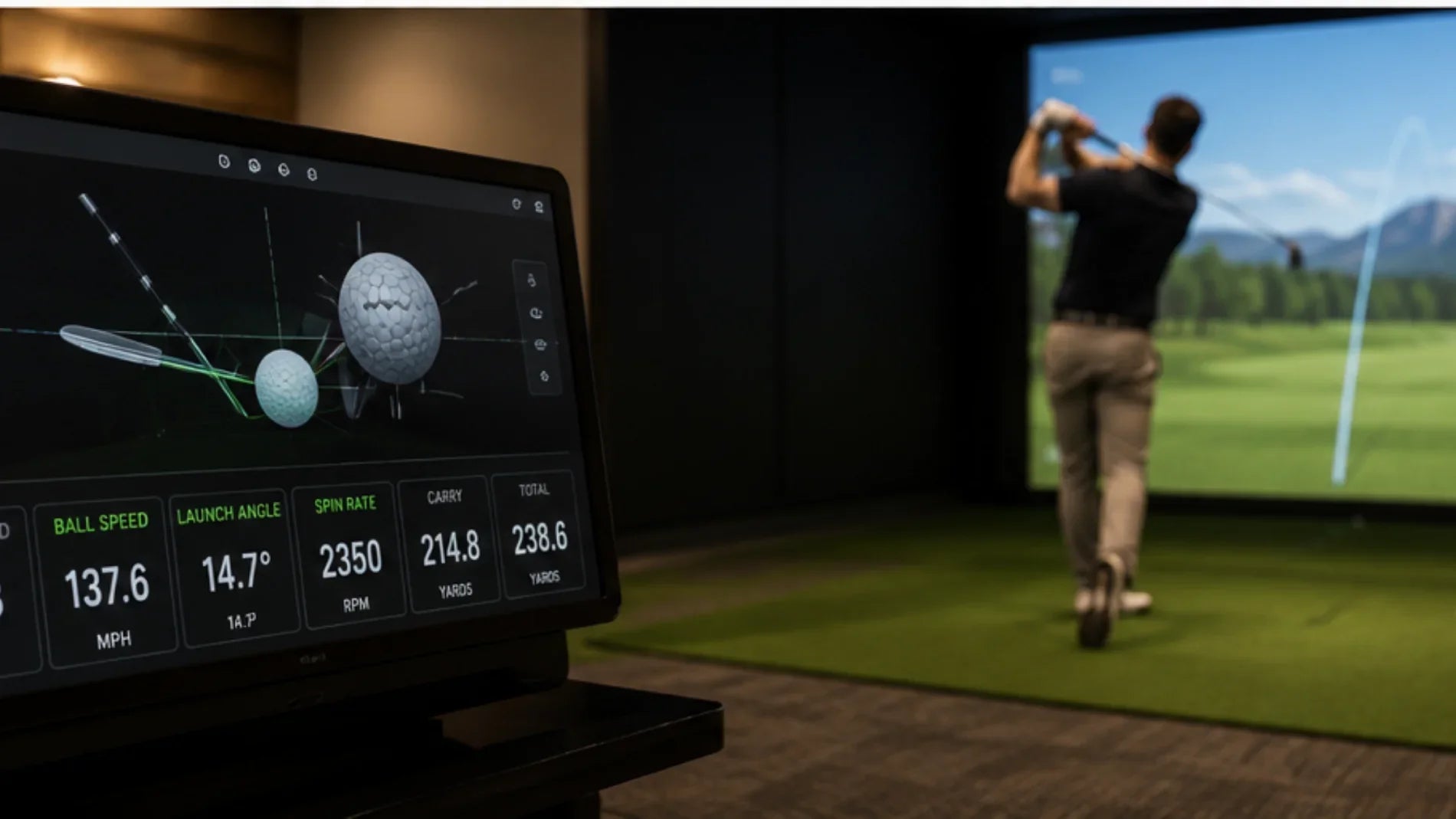
So, How does a golf simulator work in real time? The process starts when you hit the ball. A launch monitor or sensor system collects data such as ball speed, launch angle, spin rate, club path, face angle, carry distance, and direction. Then the simulator software uses that information to calculate where the ball would travel on a real course.
This is the heart of how golf simulators work. They don’t just show a random animation. They use measured data and physics-based calculations to recreate the shot.
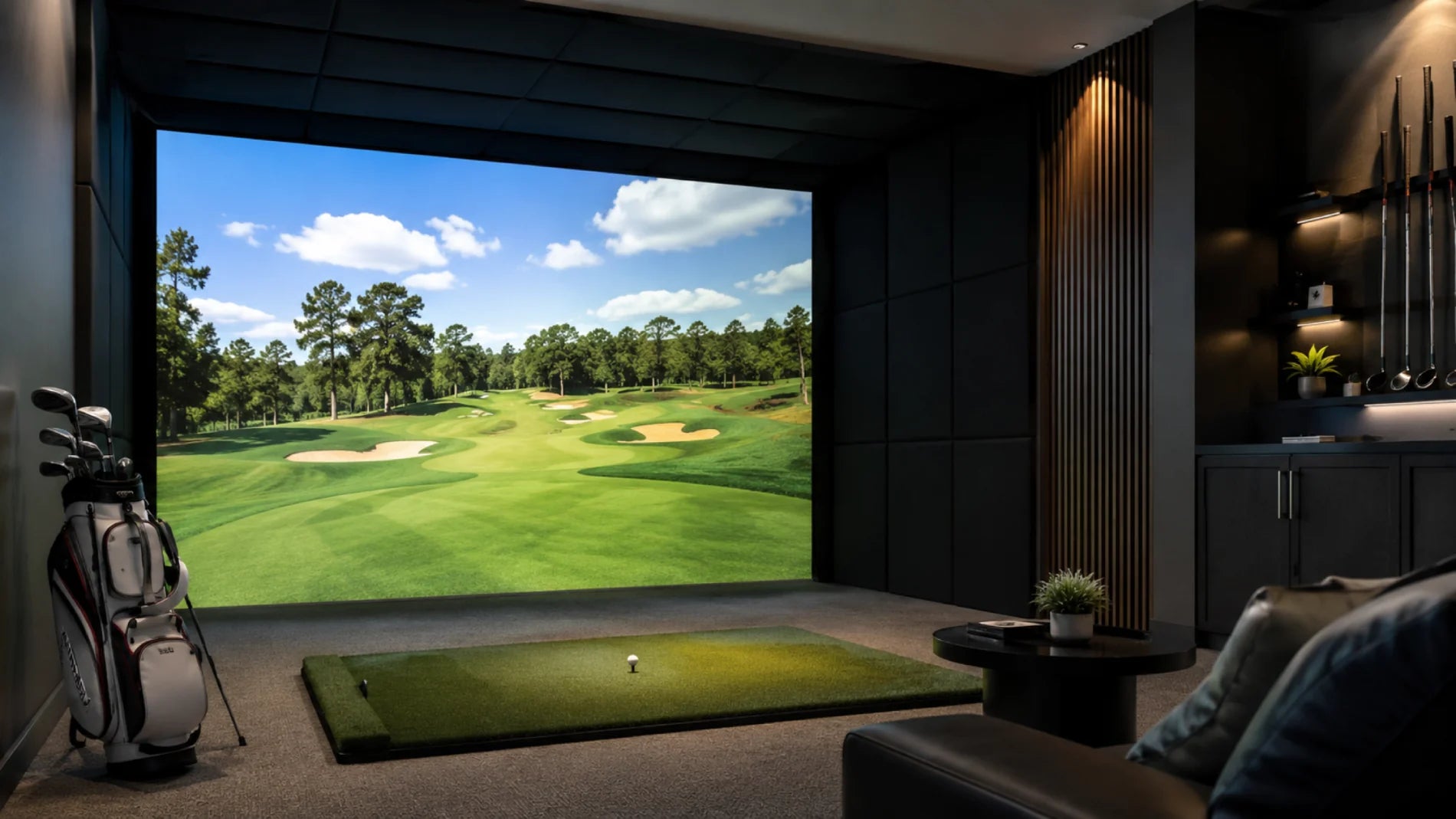
A complete setup usually includes a hitting mat, golf net or impact screen, launch monitor, projector or TV, computer or tablet, and golf sim software. Some premium systems also include enclosure frames, side protection, lighting, cameras, and turf areas.
Spoiler alert: the better the tracking system, the more realistic the result feels. A basic system can still be fun, but higher-quality sensors usually provide more accurate feedback.
You might be interested in Best Racing Simulators
What technology does a golf simulator use?
Golf simulator technology is built around shot tracking. Different systems use different methods, but the goal is the same: measure your ball and club accurately.
Some simulators use radar. Radar-based launch monitors track the ball after impact and are often popular in larger spaces or outdoor-friendly setups. They can measure ball speed, launch direction, spin, carry distance, and more.
Other systems use high-speed cameras. Camera-based simulators capture images of the ball and club around impact. They are often useful for indoor setups because they don’t always need as much ball flight space as radar systems.
Some setups use infrared sensors, pressure mats, or optical tracking. These systems may focus more on club movement, swing path, or impact position.
The technology sends data to software, where the shot is calculated and shown on-screen. This is why How does a golf simulator work depends heavily on both hardware and software. The sensors collect the data, but the software turns it into a visual golf shot.
For players, this means you can see useful feedback instantly. You’ll know whether your shot was too low, too high, sliced, hooked, short, long, or centered.
That feedback is what makes an indoor golf simulator more than just a game. It becomes a training tool.
You can explore: Best Flight Simulators for Home & Professional Use
What hardware is needed for a golf simulator?
A golf simulator needs several pieces of equipment working together. The most important part is the launch monitor or sensor system. This is the device that tracks your shot and provides the data.
Next, you need a hitting mat. A good mat protects your floor and gives you a stable hitting surface. Cheap mats can feel hard on the wrists, so quality matters if you plan to practice often.
You also need a screen, net, or enclosure. An impact screen lets you hit the ball toward a projected course image. A net is usually more affordable and works well if you use a tablet, monitor, or TV instead of a projector.
The system also needs golf shot computer hardware, such as a gaming PC, laptop, tablet, or console-style device, depending on the software. More advanced simulator programs may require stronger graphics performance.
Other helpful items include a projector, projector mount, ceiling protection, side barriers, turf strips, ball tray, and proper lighting.
Read for more information; Things to know about golf simulators
Basic golf simulator hardware checklist
|
Hardware |
Purpose |
|
Launch monitor |
Tracks ball and club data |
|
Hitting mat |
Provides a safe hitting surface |
|
Impact screen or net |
Catches golf balls |
|
Projector or display |
Shows the virtual course |
|
Computer/tablet |
Runs simulator software |
|
Enclosure |
Adds safety and structure |
|
Golf balls and clubs |
Used for real play |
These parts work together to create the full simulator experience.
How does golf simulator software create a virtual course?
Golf sim software takes shot data from the launch monitor and turns it into a visual result. It calculates the ball’s flight, bounce, roll, spin, curve, and distance, then displays it inside a digital course environment.
This is where the simulator starts to feel like real golf. You can play famous-style courses, practice on a virtual range, join online matches, track performance, or work on specific clubs.
When you hit a shot, the software receives data almost instantly. It then shows whether the ball lands in the fairway, rough, bunker, water, or green. Some programs also show club data, shot history, dispersion charts, and practice drills.
So, How does a golf simulator work from the software side? It combines physics, graphics, course mapping, and player data. The result is a digital version of what your shot would likely do outdoors.
Better software usually offers smoother graphics, more course options, better practice modes, and more detailed stats. For serious golfers, those details can help identify patterns.
For casual players, the software makes golf fun at home. You can play 18 holes without leaving the room. Guess what? No waiting behind a slow foursome.
What makes a home golf simulator useful?

A home golf sim is useful because it lets you practice consistently, no matter the weather, season, or daylight. You can hit balls before work, after dinner, or during a weekend without booking a tee time.
A golf simulator for home is especially helpful for golfers who want feedback. On a normal driving range, you may see where the ball goes, but you don’t always know why. A simulator can show ball speed, carry distance, launch angle, spin, club path, and face angle.
This makes practice more focused. You can compare clubs, test swing changes, work on wedges, or build confidence with your driver.
A golf at home simulator can also be great for families and entertainment. Friends can play virtual rounds, compete in closest-to-the-pin games, or use practice modes for fun.
If space is limited, a compact or portable golf simulator may be better than a permanent setup. Portable systems can use a net, mat, launch monitor, and tablet, then be packed away when not in use.
That’s one reason the best golf simulator for home isn’t always the biggest or most expensive. It’s the one that fits your space, budget, and goals.
How much space do you need for an indoor golf simulator?
Space is one of the biggest things to check before buying an indoor golf simulator. You need enough room to swing safely, not just enough room for the equipment.
A typical setup may need around 10 feet of width, 10 feet of depth, and 9 to 10 feet of ceiling height. Taller players or those with a steep swing may need more height. Drivers require the most clearance, while wedges and irons need less.
Room depth depends on the tracking system. Some radar-based units need more distance behind and in front of the ball. Camera-based launch monitors may work better in tighter indoor spaces.
Before setting up, take slow practice swings with your longest club. Check the ceiling, walls, lights, fans, furniture, and anything behind you. Can’t swing freely? The room may be too small.
How does a golf simulator work safely? It needs enough space, a strong screen or net, side protection, and a stable hitting area. Safety should always come before graphics or features.
A garage, basement, spare room, studio, or commercial bay can all work if the dimensions are right.
You can check Why Choose Performance Simulators
What is the average golf simulator cost?
Golf simulator cost can vary a lot depending on the launch monitor, software, screen, mat, projector, enclosure, and computer setup. A simple beginner setup with a net, mat, basic launch monitor, and tablet can cost much less than a full room installation.
Entry-level setups may focus on basic distance, direction, and ball flight feedback. Mid-range systems often include better tracking, improved mats, screens, and software. Premium setups may include high-end launch monitors, large impact screens, projectors, enclosures, turf flooring, powerful computers, and advanced software subscriptions.
The cost also depends on whether you build it yourself or purchase a complete package. A DIY setup can save money, but you’ll need to choose compatible parts. A packaged setup is usually easier but may cost more upfront.
When comparing options, don’t only look at the launch monitor price. Include software fees, screen quality, projector brightness, mat durability, and room setup costs.
If you want the best golf simulator for home, think long term. A cheap mat or weak net may need replacing quickly. Spending slightly more on durable essentials can be smarter.
You can get info about How much does a golf simulator cost?
What are the main benefits of using a golf simulator?
The biggest benefit is convenience. You can practice anytime without traveling to a course or driving range.
Another benefit is instant feedback. A simulator gives you numbers that help explain your shot. If your ball slices, you can check club path, face angle, and spin. If your distance is inconsistent, you can compare launch and strike quality.
A simulator also helps with club gapping. You can learn how far each club really carries, not just how far you think it goes. That can improve decision-making on the course.
For beginners, simulators make learning less intimidating. For experienced players, they offer data-driven practice. For families, they create indoor entertainment.
How does a golf simulator work as a training tool? It turns each shot into measurable feedback. Instead of guessing, you can practice with purpose.
It also saves time. Even a 20-minute session can be useful when the setup is at home.
How do you choose the right golf simulator?
Choosing the right simulator starts with your goals. Do you want casual fun, serious practice, club fitting data, online play, or a full luxury setup?
Next, measure your room. Space will decide whether you need a radar unit, camera-based system, net setup, or complete enclosure. Then decide your budget. Include hardware, software, screen, mat, projector, and accessories.
Look at accuracy, ease of setup, software options, portability, and long-term costs. A portable golf simulator is great if you need flexibility. A permanent simulator is better if you want a dedicated practice space.
Also consider who will use it. A serious golfer may want advanced club data. A family may care more about fun games and easy controls.
Final Thoughts
How does a golf simulator work? It tracks your swing and ball data, sends that information to software, and displays a realistic shot on a virtual course. The system may use radar, cameras, sensors, computer hardware, and advanced graphics to create the experience.
A good simulator can help you practice, play, learn distances, improve consistency, and enjoy golf indoors. Whether you want a compact home golf sim or a full indoor golf simulator, the right setup depends on your space, budget, and goals.
Golf at home is no longer just a dream. With the right equipment, it can become part of your regular routine.
People Also Ask:
What is needed for a golf simulator?
A golf simulator usually needs a launch monitor, hitting mat, impact screen or golf net, golf clubs, golf balls, and simulator software. For a more complete setup, you may also need a projector, enclosure, side protection, computer or tablet, and good lighting. A basic home golf sim can be simple, while a full indoor golf simulator may include premium screens, turf, and advanced tracking technology.
How realistic is a home golf simulator?
A home golf simulator can feel very realistic when it uses accurate tracking, quality software, a good hitting mat, and a clear impact screen. The simulator measures ball speed, launch angle, spin, direction, and sometimes club data to show how your shot would travel on a real course. Premium systems feel more realistic, but even smaller setups can be useful for practice, distance control, and indoor golf fun.
Do I need a computer to run a golf simulator?
Some golf simulators need a computer, while others can run on a tablet, phone, or built-in device. Advanced golf sim software with high-quality graphics often needs a stronger laptop or gaming PC. Basic launch monitors may connect to mobile apps instead. Before buying, always check the software requirements so your device can handle the simulator smoothly.